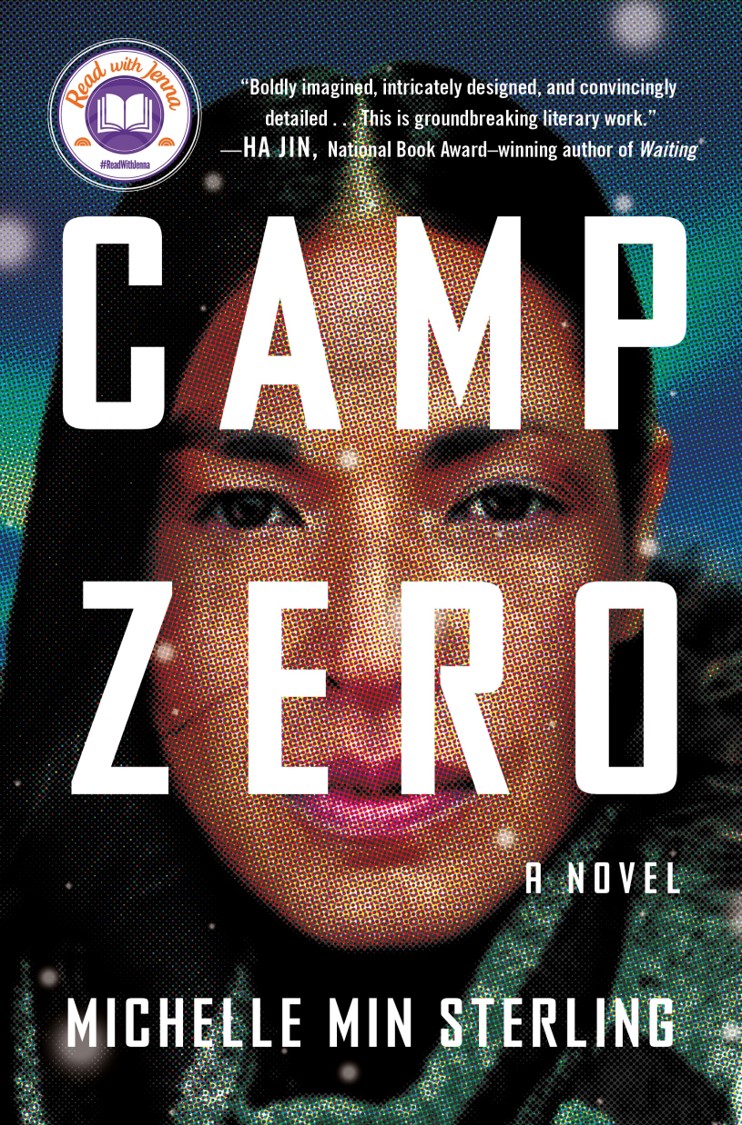
Camp Zero by Michelle Min Sterling
Publication Date: April 4th, 2023
Hardcover. 304 pages.
About Camp Zero:
"In the far north of Canada sits Camp Zero, an American building project hiding many secrets.
Desperate to help her climate-displaced Korean immigrant mother, Rose agrees to travel to Camp Zero and spy on its architect in exchange for housing. She arrives at the same time as another newcomer, a college professor named Grant who is determined to flee his wealthy family’s dark legacy. Gradually, they realize that there is more to the architect than previously thought, and a disturbing mystery lurks beneath the surface of the camp. At the same time, rumors abound of an elite group of women soldiers living and working at a nearby Cold War-era climate research station. What are they doing there? And who is leading them?
An electrifying page-turner where nothing is as it seems, Camp Zero cleverly explores how the intersection of gender, class, and migration will impact who and what will survive in a warming world."
Camp Zero takes place in a near-future world in which climate change has altered the state of the world forced the displacement of many populations of people and required them to find new ways to survive in this harsh new climate. Many people move north to areas that are cold due to the extreme heating of other parts of the earth, and there now exists a new city known as the Floating City which acts as a protective hub for the wealthy and those who are lucky enough to work there. Fortunately for our protagonist Rose, she attains a job in the Floating City and after working there for a while is given the opportunity to become a spy in the far north of Canada at a remote site known as Camp Zero. Camp Zero is a mysterious building project where Rose joins a group of women known as "Blossoms" act as escorts to many of the important men involved in the project. Rose is instructed to spy on Myer, the man behind the project with big visions for the future, and in return she will receive guaranteed housing for herself and her struggling mother in the Floating City.
women as they survive and try to decide whether or not to desert the station, what they want their futures to be, etc. it's unclear at first how this group of women intertwines with the rest of the story, but it's fascinating to watch them learn how to survive and really come into themselves. Lastly, we also follow a young man named Grant who is fresh out of a prestigious college known as Walden college and takes a position in the north at Camp Zero as a tutor in English. he is doing this as an attempt to get out from under his wealthy father's influence, and i appreciated that he was really wanting to work hard for himself and do something new.
Our main protagonist is introduced to us as Rose, though we soon learn that that is not her real name, and rather one she is given at her new job as a Blossom. Her name is something very personal to her, and she does not share it with just anyone. Rose is an intelligent, quiet, and astute woman who is willing to whatever she needs to in order to create a better life both for herself and especially for her mother. She feels a deep desire and obligation to take care of her mother who immigrated from Korea to make a better life for her and her daughter. Since Rose is our main POV, we spend the most amount of time with her and I really enjoyed seeing her progress throughout the story and are slowly given glimpses into her life before becoming a Blossom, from her childhood to her time working in the Floating City until now. This really helped to develop her character and give readers a better understanding of who she is, what her motivations are, and just how much strength and determination she has. She is someone who follows what she wants while working within the confines of the situations she is placed in, and will occasionally work outside of it when necessary.
We also follow a couple other POVs, one of which features a mysterious group known as White Alice. We follow the POV of one unnamed woman who seems to speak for the entire group and relay their happenings as a group of women stationed out in the remote north. We follow these women as they survive on their own, try to decide whether or not to desert the station, and attempt to figure out what their futures could look like as more and more obstacles pop up. It's unclear for a good portion of the book just how this plotline featuring White Alice will intertwine with the rest of the story, but things are eventually unveiled and I really appreciated just how the author brought everything together.
The second POV we follow is that of a young man named Grant who is fresh out of the prestigious Walden college and is now on his way to take a position at Camp Zero as an English instructor. He doesn't realize exactly who he'll be teaching until he gets there, and that surprise is only the start of many more revelations he will make while in the north. Grant wants nothing more than to be out from under his wealthy father's influence, and I appreciated watching him attempt to work hard for himself to do something new.
I loved the concept of the worldbuiling in Camp Zero, but I found the execution a little lackluster at times. The dystopia-like setting in a cold, remote region was captivating, but unfortunately there really wasn't all that much outside of that, and that setting itself wasn't overly developed, either. I liked learning about how the world had evolved since the more drastic fallouts of climate change were occurring, but I do wish there had been just a bit more world-building and background given about it. I feel like we were only given snippets and basics about the world, and not quite enough to totally satisfy my curiosity about this world. It was a little underwhelming compared to what I expected from the description of the book, but at the same time the novel itself has a scarcer style to it, so it did somewhat fit, if that makes any sense, even if I didn't love it.
This story has a fairly consistent slow pace to it that fit well with the general setting and characters. As much as this story does have a plot to follow and plenty of events to keep things moving, it's also a bit of a character study in seeing how all of these different characters adapt to this world they find themselves in and manage to survive in their own ways. There were a few moments that felt slightly too slow pacing-wise, and some sections could've either been shortened or had more details and plot points added to them to keeps things a bit more engaging, but overall I felt it was fairly consistent with pacing.
Camp Zero has a fairly bleak overall atmosphere that keeps this book from feeling too hopeful or positive overall, which could bother some people, but that I think worked well for the story. The ending will also be a little hit or miss for different readers, I think, due it not providing answers to everything that people might want answered and leaving quite a bit unsaid, but if you don't mind that type of ending then it might just be as satisfying for you as it was for me.
Overall, I've given Camp Zero four stars! Despite the slightly lacking worldbuilding, I found myself intrigued by Rose's story, the world after major climate changes, and seeing how all these different characters existed in this world. Recommended for anyone who loves the sound of a remote setting and a careful look at characters.
*I received a copy of Camp Zero courtesy of the publisher in exchange for an honest review.*
Buy the book: Amazon | Bookshop.org